Manual workflow vs Extension
The weekend-long workflow vs the one-click workflow — side by side. See exactly how much time and effort the extension saves.
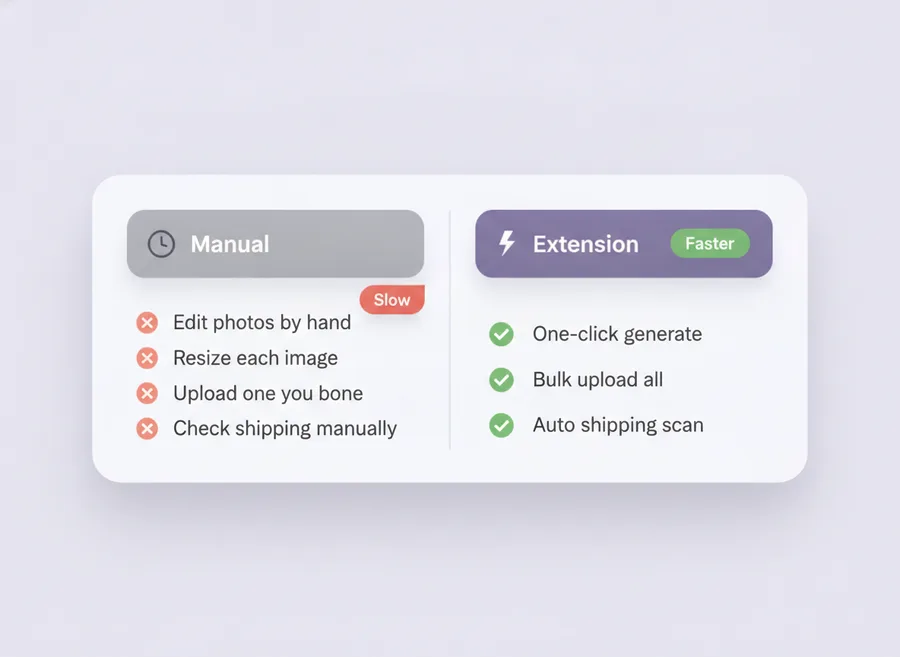
At a glance
| Task | Manual | With Extension |
|---|---|---|
| Create 5 product image variants | 30+ min in Photoshop | ~1 min AI generation |
| Upload 100 images to Meesho | 2–3 hours of clicking | Single click, parallel upload |
| Find cheapest shipping rate | Manual per-product check | Auto scanner runs after upload |
| Discover rates other sellers found | Not possible | Community Rates (top 10) |
| Retry failed uploads | Restart entire batch | One-click retry of failures only |
| Credential risk | Depends on tool | None — uses your own browser session |
| Typical weekly time spent | 8–12 hours | Under 1 hour |
Manual workflow
- Open each product image in Photoshop/Canva.
- Crop, resize, recolor background, add border.
- Save as a new file.
- Log into supplier.meesho.com, open each product, upload the image, wait, repeat.
- Manually check shipping options in Meesho and pick one.
- Hope you picked the cheapest; no way to verify.
This is the path most sellers know. It works — but it does not scale beyond a few dozen SKUs.
Extension workflow
- Open supplier.meesho.com.
- Click Create with AI on the Extension panel and pick a preset.
- Click Bulk Upload.
- Open the Shipping tab — apply the cheapest rate or a community rate in one click.
- Done.
When should you stick with the manual workflow?
Honest answer: if you only upload a handful of SKUs per month, your own workflow is fine. The Extension pays off when you routinely manage 30+ SKUs, or when you want to be sure you are not overpaying on shipping.
Security-wise, how does the Extension compare?
Safer than "automation" tools that ask for your Meesho password. The Extension runs inside your own Chrome browser and uses your own Meesho session; no credentials ever leave your machine. See Privacy Policy and Terms for details.
How long does setup take?
About two minutes. Register for a free account, install the Extension from the Chrome Web Store, open supplier.meesho.com, and paste your license key into the panel. You can run your first AI image generation immediately.
What if I only sell a few products?
The free trial plan covers light users. You get 2 shipping-scan credits plus 1 AI photoshoot credit, with no card required. Generating image variations does not use credits.